This section helps you understand the charts and tables that summarize the results of a particular group's exam results.
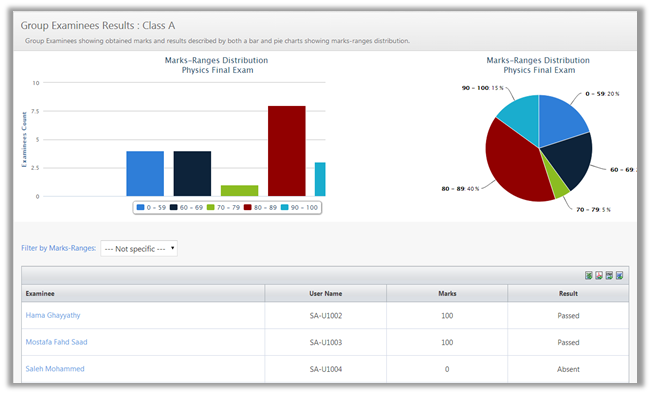
Marks-Ranges Distribution Charts
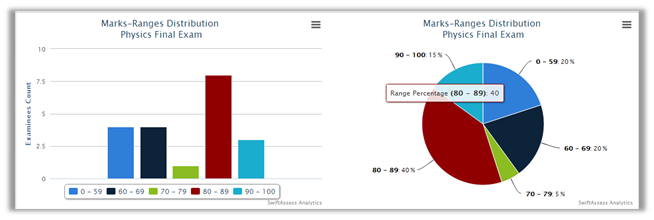
The marks ranges are distributed and represented in two types of charts; pie chart, and bar chart.
•For the bar chart, you can click on the legend to hide/show a certain range.

For example, if you click on the  , the black bar will disappear from the chart.
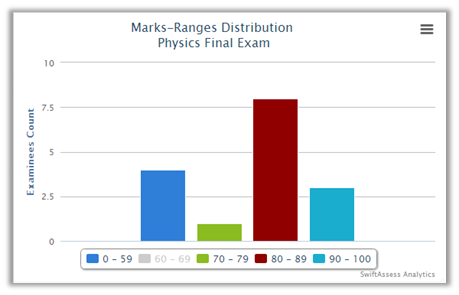
•Click on it again to make the black bar reappear.
•Both charts can be printed, exported as an image (PNG/JPEG), PDF document, and SVG vector image by clicking on .png)
Marks-Ranges Distribution Table
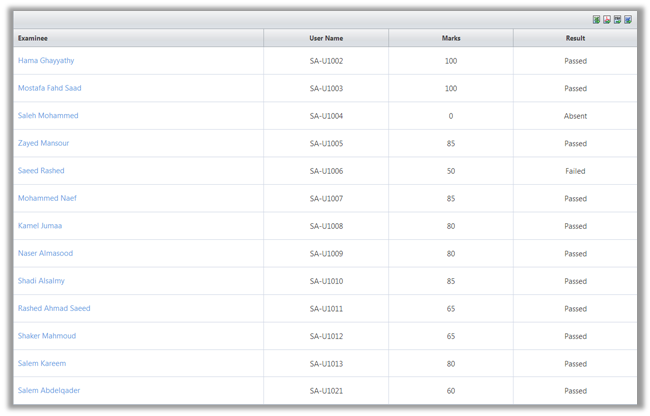
•The table contains the following headers:
o"Examinee"
o"User Name"
o"Marks"
o"Results"
•Choose a a range of marks to filter the results in the table
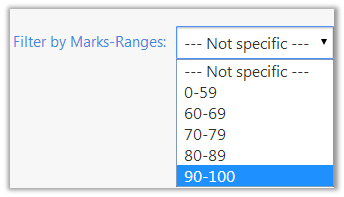
•Now the table will show only the results that you have specified.
oFor example, if you choose 90-100, only the examinees who scored in that range will appear in the table.
.png)
•The can be exported to Excel, PDF, CSV, and Word.
•Click on the examinee's name to view his/her results, as in the "Review Examinee Results" report.
See Also
SwiftAssess © 2021