This section explains how Survey Results Summary will be viewed for Rating questions.
Rating
The answers of Rating questions are presented as charts and tables. However, they are different than Multiple Choice and Multiple Select.
•The default chart type for Rating questions is Donut Chart.
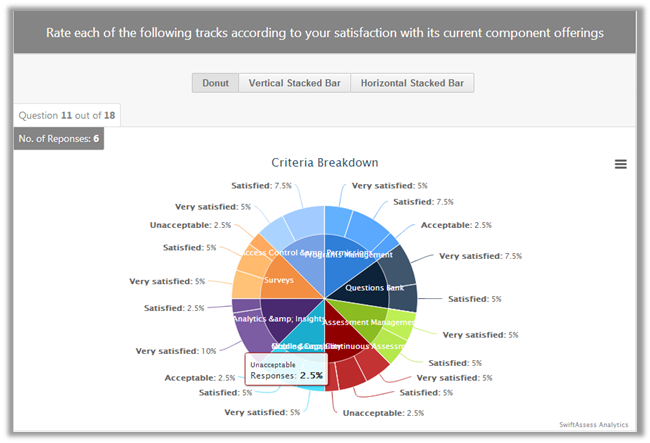
•Choose a chart type by clicking on it and the chart view will change accordingly.
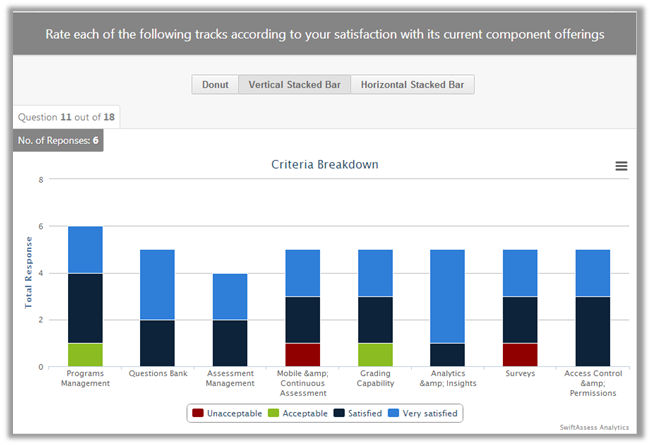
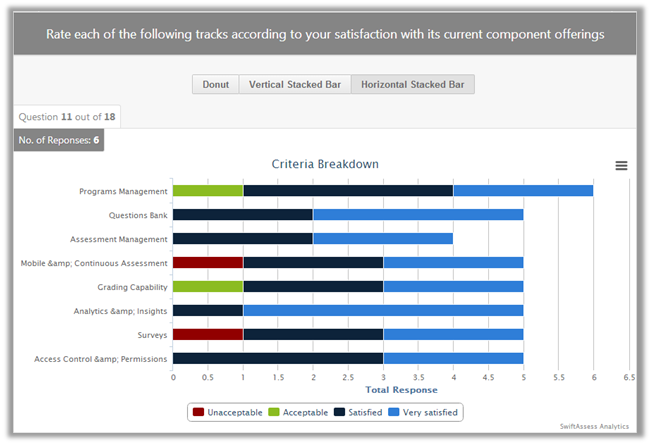
•Click on .png) to download chart as image (PNG/JPEG), PDF document, or SVG vector image.
to download chart as image (PNG/JPEG), PDF document, or SVG vector image.
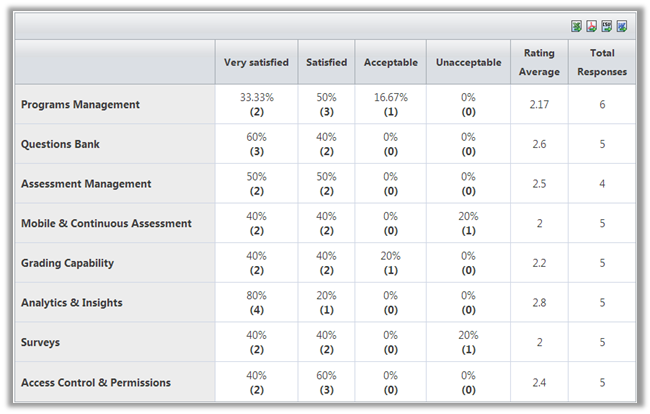
•The table headers shows the scale that has been chosen for the question. (e.g in this case the scales are "Very Satisfied", "Satisfied", "Acceptable", "Unacceptable"). It also shows the "Rating Average" and "Total Responses".
•This table can be exported to Excel, PDF, CSV, and Word.
See Also
•Multiple Choice and Multiple Select Results
•Essay and Short Answer Results
SwiftAssess © 2021